- July 29, 2026
- 7 min read
What whiteboard do you need for the GMAT exam?

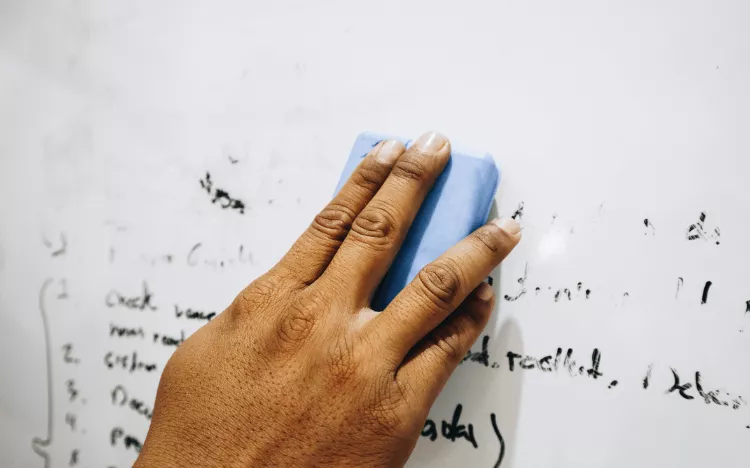
Combining the online and physical whiteboards is your best bet to perform well on the GMAT ©Reezky Pradata/iStock
TL;DR
- The GMAT exam online allows test-takers to use a built-in digital whiteboard, a physical whiteboard, or both, making whiteboard strategy an important part of test-day preparation
- Physical whiteboards can save time and reduce fatigue but come with strict size and material rules.
- Practicing with both whiteboard options before test day helps you choose the best setup and create a smoother, more comfortable exam experience
Whiteboards are a key part of the GMAT. The COVID-19 pandemic saw the creation of the GMAT exam online—a remote testing option designed to make the GMAT more accessible by reducing reliance on physical testing centers.
Among the features of the GMAT exam online is that you can use a whiteboard during the test.
GMAT whiteboard options
When taking the GMAT exam online, you have three options: use the provided online whiteboard, use a physical whiteboard, or use both.
But first, a quick breakdown of the two whiteboards permitted on the GMAT exam delivered online:
1. GMAT exam online whiteboard
While taking the GMAT exam online, you will be provided with an online whiteboard as a part of your test experience, that you may use to make notes.
You may write into the whiteboard using your computer’s trackpad or mouse (no touch screens or styli allowed), or by entering text into a text box. There are also tools for drawing and shading shapes.
You may keep your work as you go from problem to problem, or choose to erase your screen as you go. We like to think of the whiteboard as an almost endless canvas, which means that you may zoom and pan to maximize the space.
There is no need to opt in or out of this feature—it’s there if you want it and can be opened or closed with the click of a button at the top of your screen.
We also offer an online whiteboard to practice with as a part of our practice exams in the GMAT Free Starter Kit, so that you can get used to the features before the exam.
2. GMAT physical whiteboard
The physical whiteboard is a small dry-erase board that you may use while taking the exam. You are required to provide this whiteboard yourself, and it must meet all of our required specifications.
Specifications for the physical whiteboard on the GMAT
Here are the GMAT whiteboard rules:
Size
- No larger than 12 ins x 20 ins (or 30 cm x 43 cm)
Physical whiteboard style
- In this case, “whiteboard” means a white dry-erase board
- White backgrounds only (no other colors, no gridlines, no markings whatsoever)
Physical whiteboard accessories
- Up to two dry-erase markers (any color or size)
- Up to one dry-erase whiteboard eraser (any size, can be on the marker cap or separate)
Physical GMAT whiteboard FAQs
1. How will the proctor know if my whiteboard meets these specifications?
Before your exam, the proctor will ask to see your entire testing area (you must be alone in a walled room with a closed door and no distractions).
They will also ask to see your whiteboard, and you will have to prove that any markings have been erased on both sides. Please note that the proctor will ask you to remove the whiteboard from the testing area if it does not meet all specifications.
2. How often will I need to erase my whiteboard?
The proctor will require you to begin your exam with a clean whiteboard. They will ask you to erase the board (both sides!), and show it to them before your exam, during optional breaks (if you choose to take them), and after your exam ends.
Otherwise, you can erase as often as you want throughout the exam.
3. Can I use a double-sided whiteboard?
Yes, double-sided whiteboards are permitted, but both sides must meet the specifications listed above (no larger than 12 inches x 20 inches, white, with no markings).
4. Can I use napkins, paper towels, tissues, or a cloth to erase? What about whiteboard cleaning spray or water?
No, you must use a dry-erase whiteboard eraser only.
5. Can I use permanent markers, pens, or pencils on my whiteboard?
No, you must use a dry-erase marker that can be erased.
6. Can I use paper instead of a whiteboard? Can I use paper in a clear slide with whiteboard markers? What about a chalkboard?
No, you may not use scratch paper, clear slides, or chalkboards for the online exam.
Pros and cons of using a physical whiteboard during the GMAT exam
Pros:
- Many test-takers find it quicker and easier to write by hand than to use the online whiteboard
- It’s small, so you won’t waste time panning and zooming around the online whiteboard’s endless canvas.
- As with any online exam, you could suffer from tiredness due to staring at a screen . Looking away from the monitor to jot down a few notes can give your eyes a break. This can help prevent fatigue.
- If you opt to use both the online and physical whiteboards, you have extra space to make notes.
- Rather than opening a whiteboard in a new window, you can see your physical whiteboard while leaving your exam on the screen.
- The GMAT can be highly stimulating. Being able to erase your whiteboard after each problem gives you a literal clean slate, which can help you focus and stay calm.
Cons:
- You’re limited by size. Once it’s filled, you have to erase it. To get around this, maximize your space by choosing a whiteboard with a small border and a marker with a fine tip.
- It’s difficult to save your work and come back to it, because your whiteboard will quickly fill up.
- Some students find erasing to be a hassle. You may find it easier to use a large whiteboard eraser( rather than using the small ones at the end of dry markers).
- If you have a small desk space, then you may find it difficult to manage a computer and a whiteboard.
- If you have messy handwriting, find writing difficult, or find it challenging to organize your thoughts in writing, then the physical option may not be the right fit for you—but that’s OK, too!
Tips and tricks for making the most of your whiteboards
Taking advantage of the tips and hacks below will allow you to get the most out of the two whiteboards at your disposal, and save you time and energy on your GMAT exam.
1. Order your whiteboard, pens, and eraser as soon as possible
If you want to order your supplies online, make sure you leave yourself plenty of time to practice. Ideally, you don’t want test day to arrive before your whiteboard.
This will give you time to practice with your supplies, which is vital for ensuring a smooth test day experience. And if you absolutely hate something you ordered, you will have the chance to buy something different.
2. Order extra pens
Sometimes pens arrive dry and don’t work on test day. Also, dry-erase pens don’t have a long life span, so you may use up a few while practicing. It’s always better to have some backups.
3. Choose the right materials
Choosing a whiteboard with a thin border will allow you to maximize usable space.
Thin tip markers will take up less space, and are therefore preferable to thick tip markers.
Large, magnetic erasers allow you to erase quickly and keep track of your eraser before and during the exam.
4. Practice
This is the most important trick of all: we recommend taking at least one or two full-length GMAT practice tests with your online and physical whiteboards. Doing so will give you the opportunity to understand the features of each option and determine which board you prefer to use.
Practicing will also give you the opportunity to get comfortable with both options and switch between the two as needed. For example, you may decide to only use one whiteboard on the exam.
The great thing about having two options is that you can customize the experience to suit your needs.
Test day whiteboard tips
1. Erase both sides of your whiteboard thoroughly before the exam (the proctor will check!).
2. Use two new markers and test them ahead of time to make sure they’re working properly.
3. Use both the online and physical whiteboards. Use the online whiteboard for saving outlines, calculations, etc. as you move from one question to another. Use the physical whiteboard to make quick notes and calculations that you only need for a short period of time.